

Technology
School ERP Software Comparison Checklist: 15 Features Every Institute Should Evaluate Before Buying
Use this 15-point school ERP buying guide—student records, fees, exams, attendance, security, backups, mobile apps, and total cost—before you sign.
10 Jun, 2026
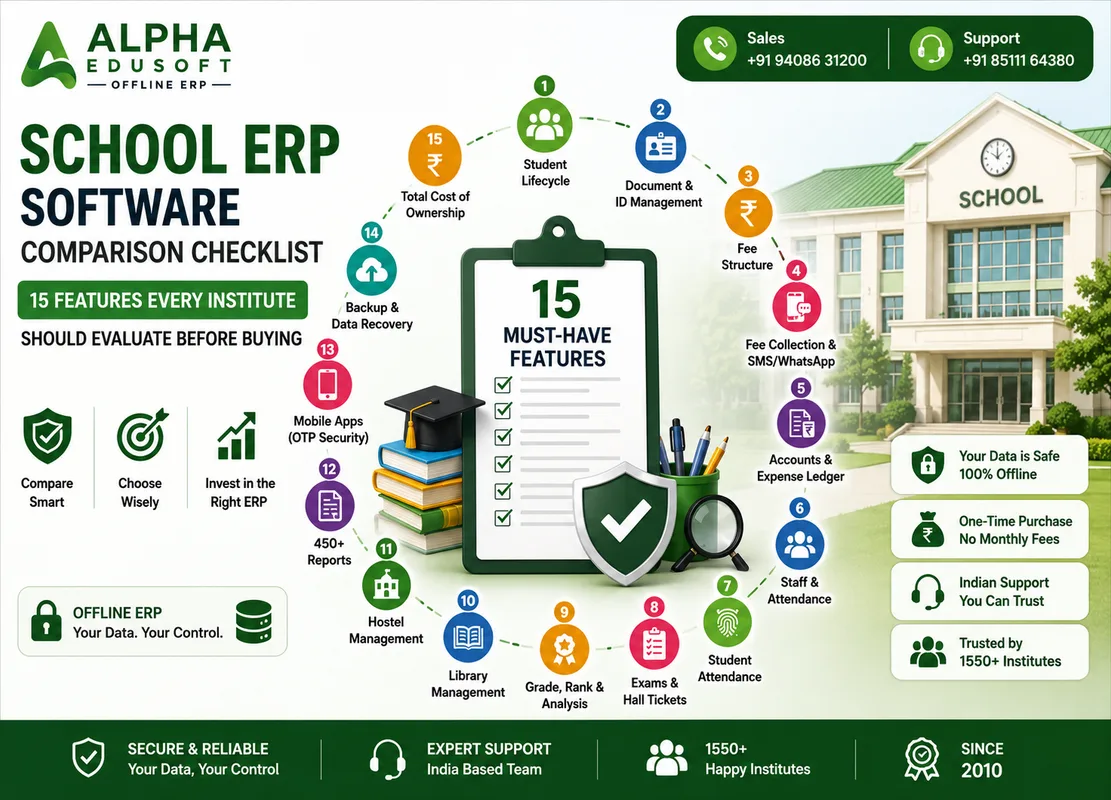
A structured school ERP buying guide saves months of regret. Use this 15-feature school ERP comparison checklist during vendor demos—score Alpha Edusoft Offline ERP and any alternative side by side before purchase approval.
15 features every institute should evaluate
Tick each item only when you see it working with your data—not on a slide deck.
- Student lifecycle — inquiry, GR, promotion, LC, certificates
- Document and ID card management linked to student profiles
- Fee structure — tuition, hostel, transport, admission, adjustments
- Fee collection, receipts, pending lists, and reminder SMS/WhatsApp
- Accounts — expense ledger, inventory, PDC where applicable
- Staff profiles, department rights, and monthly attendance registers
- Student attendance — manual, biometric, RFID, or face devices
- Exam module — class tests, board formats (CBSE/GSEB), hall tickets
- Grade, rank, and weak-student analysis after assessments
- Library issue/return with barcode and rack management
- Hostel rooms, residential attendance, and parent alerts
- 450+ reports with Excel/PDF export for audits
- Mobile apps for students, teachers, and parents with OTP security
- Backup, year-change, and data recovery on your server
- Total cost of ownership — setup, training, support, and renewals
Weight the checklist for your institute type
Day schools may prioritise fees and exams; residential campuses add hostel and biometric gates; coaching centres may slim down library and hostel but still need strong fee and communication modules. Adjust weights, but never skip security, backups, and ERP software features for board compliance.
Red flags during vendor demos
Walk away from vague answers on these points:
- Cannot show offline fee receipt when internet is disabled
- Board report cards are "coming soon" or manual Word merge only
- No clear backup restore test on your hardware
- Per-student pricing that doubles when strength grows
- Mobile app that does not reflect live fee or exam data
- No Indian support team or implementation reference in your state
How Alpha Edusoft maps to this checklist
Alpha Edusoft Offline ERP covers all 15 areas on a campus LAN with one-time purchase economics—student through hostel modules, WhatsApp alerts, and Rajkot-based implementation since 2010. Use this school ERP comparison checklist in your next demo with Alpha Softwares and keep scored notes for your management committee.
Explore all modules, pricing in INR, or request a demo with our Rajkot team.
Ready to simplify your institute management?
Discover how Alpha Edusoft Offline ERP can simplify attendance, fees, examinations, communication, and daily administration—without internet dependency.
Since
2010
Clients
1550+
Support
Rajkot
Frequently Asked Questions
Should we score vendors numerically on the checklist?
Yes. A simple 1–5 score per feature helps committees compare ERP software features objectively instead of relying on the last demo presentation.
How many vendors should we shortlist?
Two or three serious options are enough if each completes the same scripted demo tasks—fee receipt, pending report, exam card, and backup question.
Does this checklist apply to colleges and coaching centres?
Yes. Adjust module weights, but student records, fees, attendance, exams, security, and mobile access remain essential for most institutes.